Let’s begin by easily downloading the Free App for either iphone or Android phones. You’ll need to download the app before you begin the installation process.
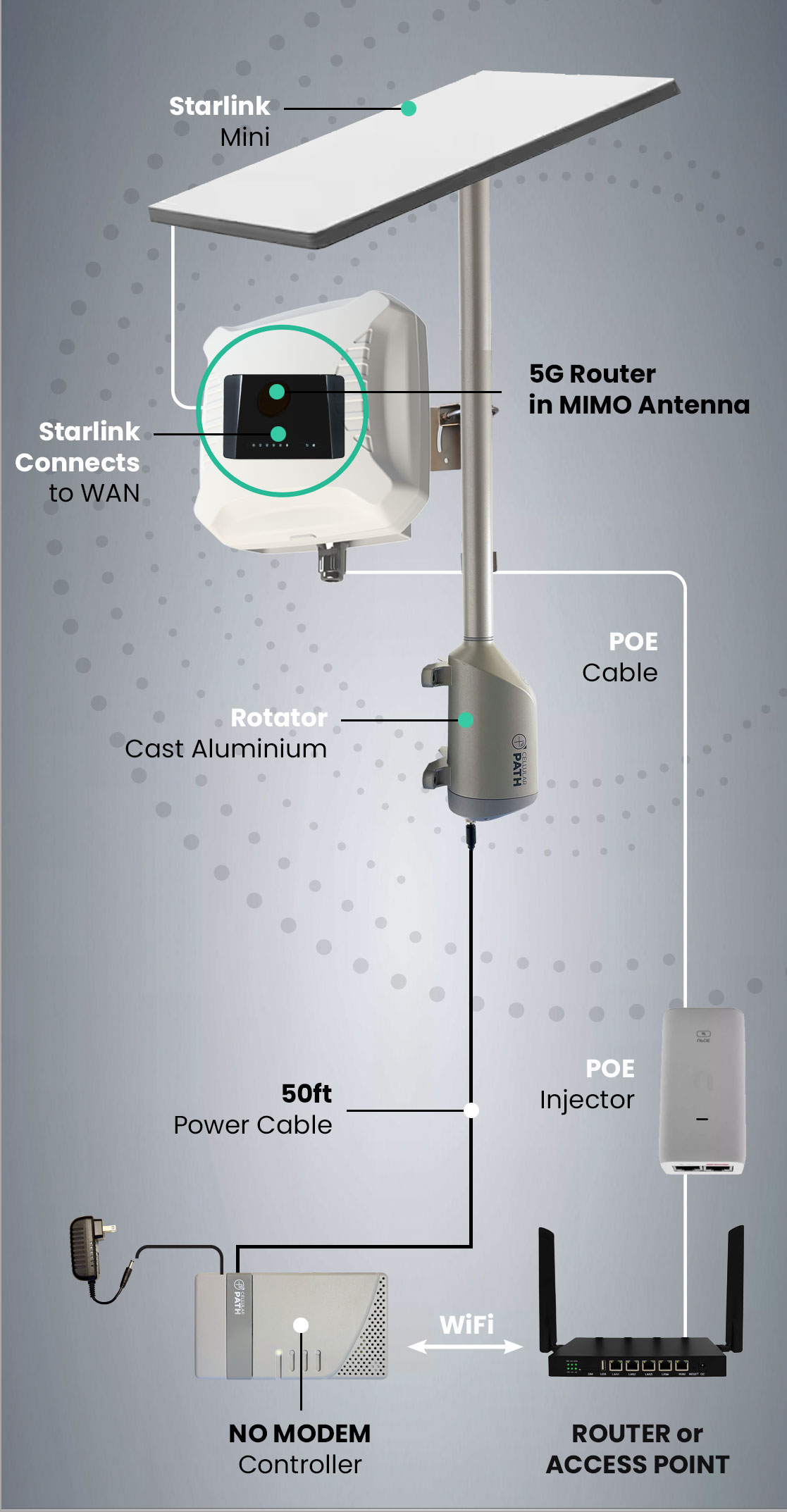
Begin by installing the Cellular Path Rotator. You’ll need a mounting pole or roofsled mount to attach the rotator (ensure 360º rotational clearance). You have the option to either mount your router externally in an enclosed antenna (in which case you’ll run a POE cable to it), alternatively you can run coaxial cable from inside the building .
Step 3
03
install internal Hardware: NO MoDEM soca controller
We suggest placing the controller near your cellular router. Connect the rotator power cable to the control board and that’s it. You’ll need a wall socket for the 12V Adapter.
Step 4
04
Connect to your Cellular Router's wifI
You connect to our servers through your cellular router’s wifi. Depending on which router, you may need to enter your admin credentials too. Once you have completed this step, you’ll be able to monitor your system remotely, receive updates and recalibrate with ease. Our system can scan for both single sim and dual sim.
Step 5
05
RePOSITION your Antenna
Now for the fun part! Open your app, complete the setup process and press “Start Scan.” The outside antenna will perform a 360-degree sweep, stopping at 12 points to find the strongest signal for your carrier. This process takes about 10 minutes, after which the strongest signal setting is recorded in your app. You’ll also be able to make manual adjustments to a certain position without doing a complete rescan. If using dual Sim cards you can reposition to your second sim carrier’s strongest signal.